Home » Meta » How to Check Who has Read your Message in a WhatsApp Group
How to Check Who has Read your Message in a WhatsApp Group
April 7, 2026 | lukastechs
SHARE THIS…
Have you ever wondered if there’s a way you can see the list of people who have viewed the message you sent in a group chat before?
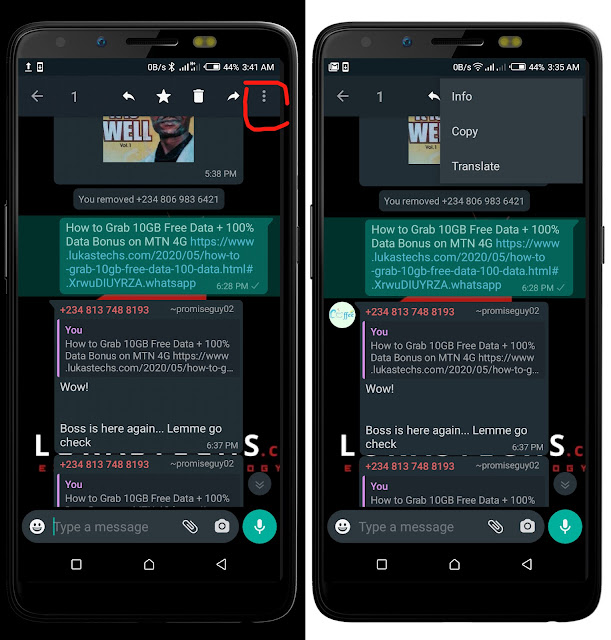
If YES then wonder no more because we’re going to drop a detailed guide on how to check who has read your message in a WhatsApp Group.
Luckily, this feature works even with the recently updated official WhatsApp app, which implies that you don’t need to use any of the modded versions of WhatsApp to utilise this feature.
I think this feature is a must-use for everyone, especially when the message being sent is directed to a specific person in the group.
With the aid of this feature, you’ll be able to see participants who have interacted with your message in the following categories;
Seen (Read your message and ignored/replied)
Delivered (Got a notif but yet to open)
Remaining Participants (Those yet to receive your message)
Although some modded versions of WhatsApp have had this feature before now, which will make some users see the feature as a normal thing, those of us on normal WhatsApp or who aren’t aware of this WhatsApp superpower should continue reading…